The whole of Candid Response, one screen at a time.
This follows the product exactly as it runs, from your first sign in to reading your first report. The first part is yours, setting up and asking. The second belongs to your people, the short anonymous conversation they have with Allie. It closes back with you, on the dashboard and the report. Then the loop continues: you respond to your team, follow up on the themes that matter, and ask again to see the trend.
You will only ever set up once. After that, running a campaign is a few minutes of writing and a link to share.
A note on privacy, because it shapes everything
Candid Response never holds your employee list. You distribute every link yourself, through your own channels. Answers are anonymous by architecture, paraphrased and never tied to a name. And no reading of what was said, on the dashboard or in the report, appears until at least five people have taken part, so no result can ever point to one person. That principle is not a setting you switch on. It is how the product is built.
Part one
Setting up and asking.
Nine steps that are yours: sign in, set up your company, write your questions, and share the link.
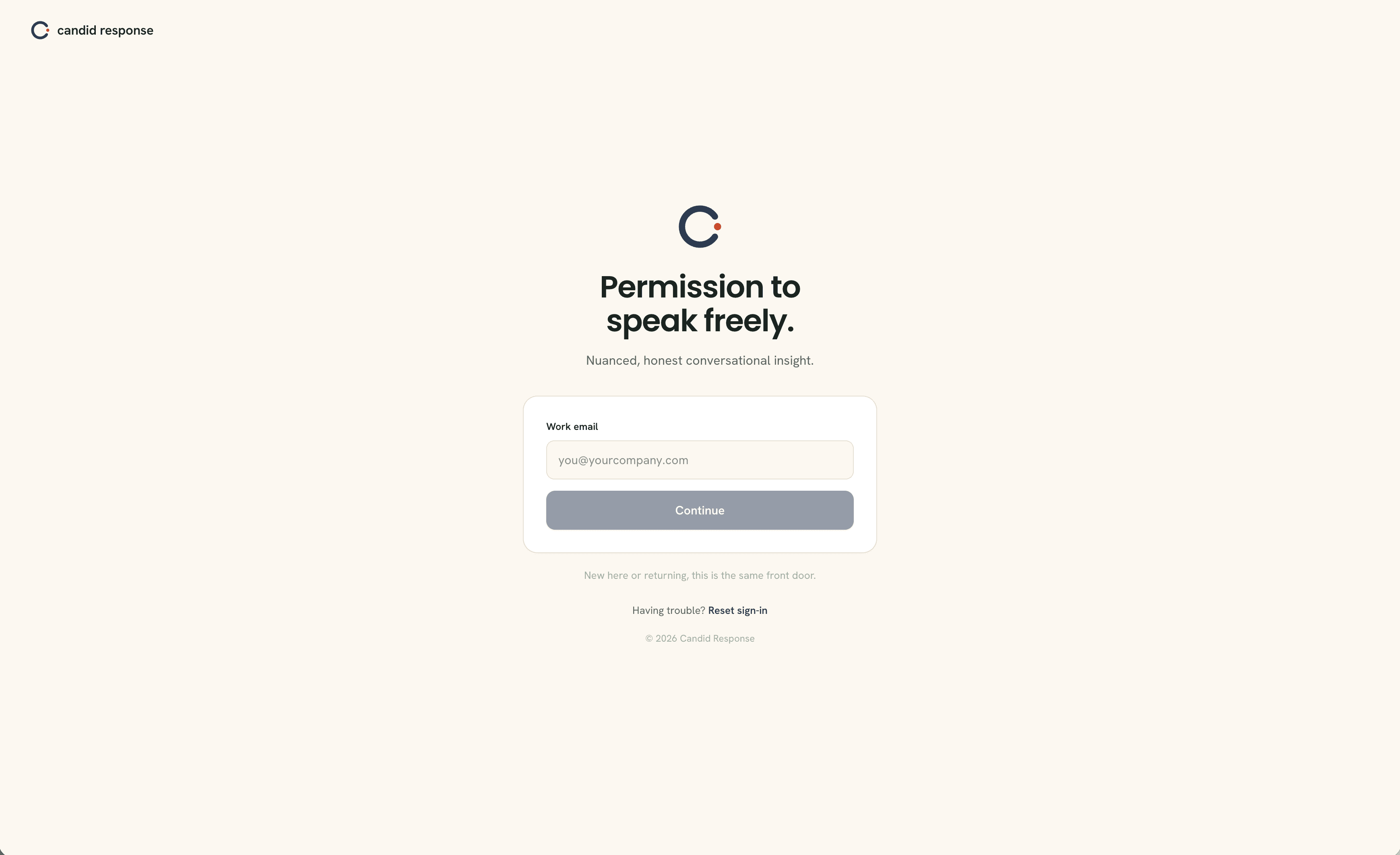
Sign in
Candid Response uses your work email and a one-time code, so there is no password to remember or lose. Enter your work email and select Continue. New or returning, it is the same front door.
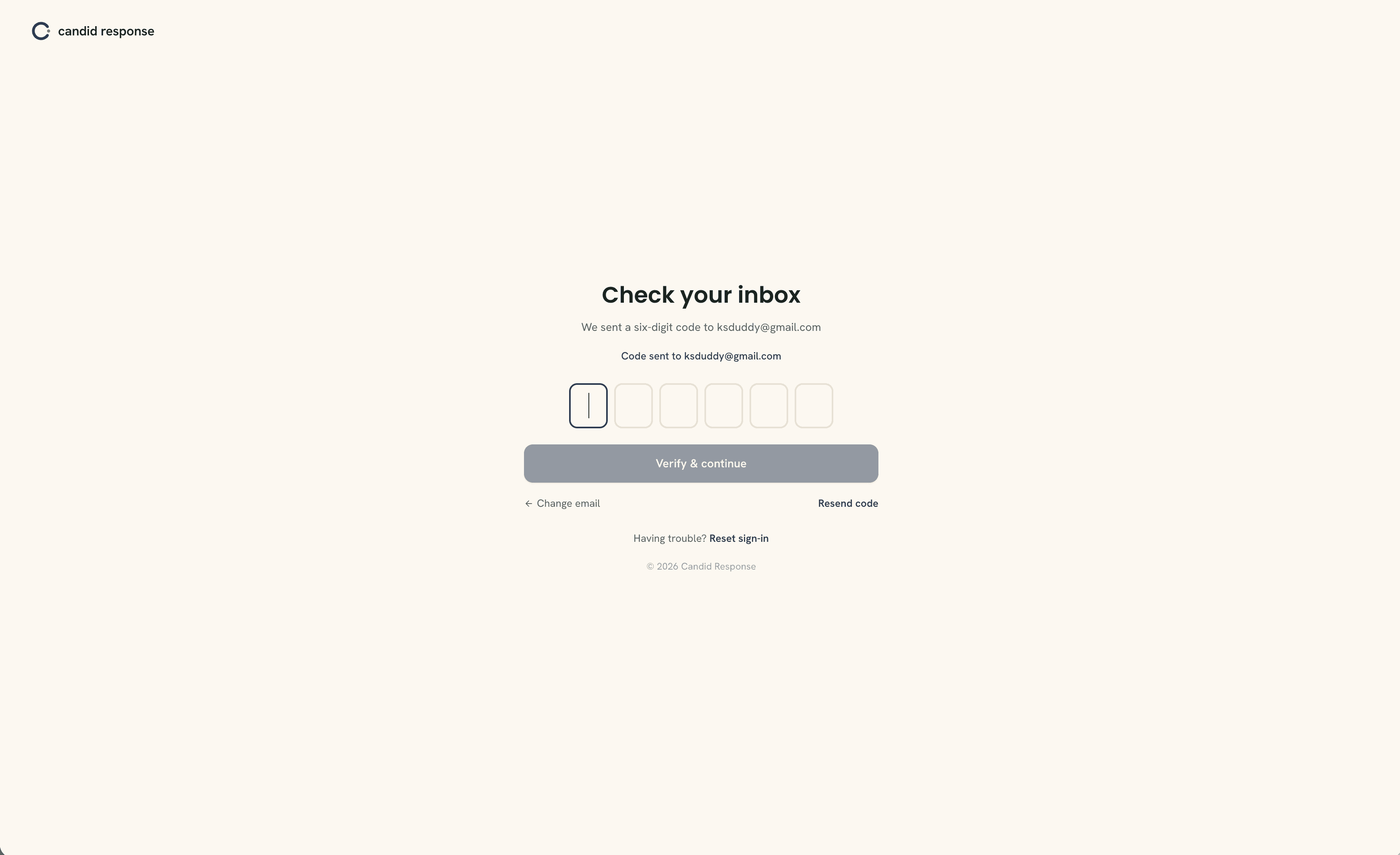
Enter your code
We send a six-digit code to your inbox. Enter it here and select Verify and continue. If it does not arrive within a minute, Resend code sends a fresh one, and Change email takes you back a step if you mistyped.
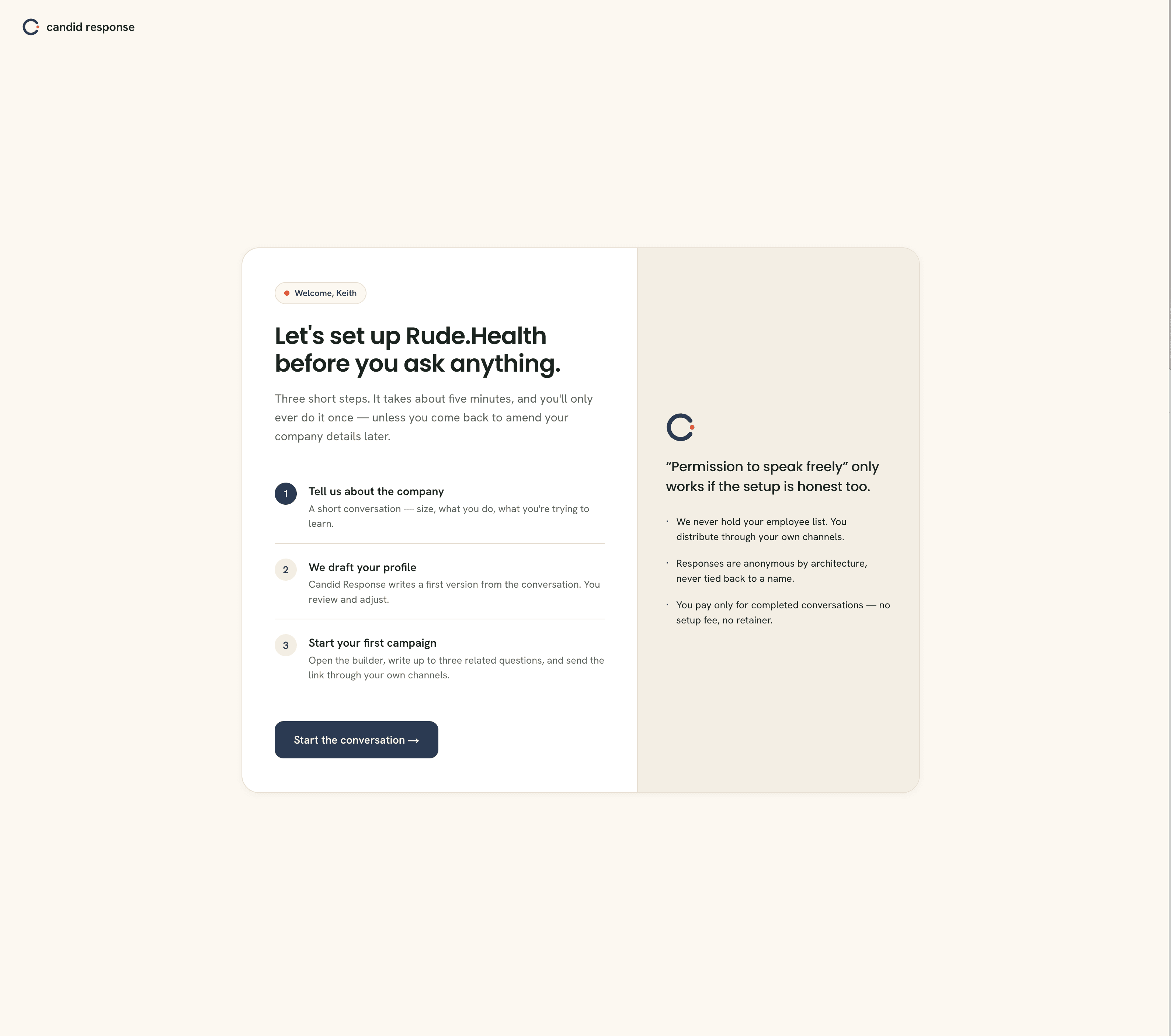
Start your setup
The first time in, Candid Response walks you through a short setup so Allie understands your company before you ask anything of your people. Three short steps, about five minutes, and you only do it once. When you are ready, select Start the conversation.
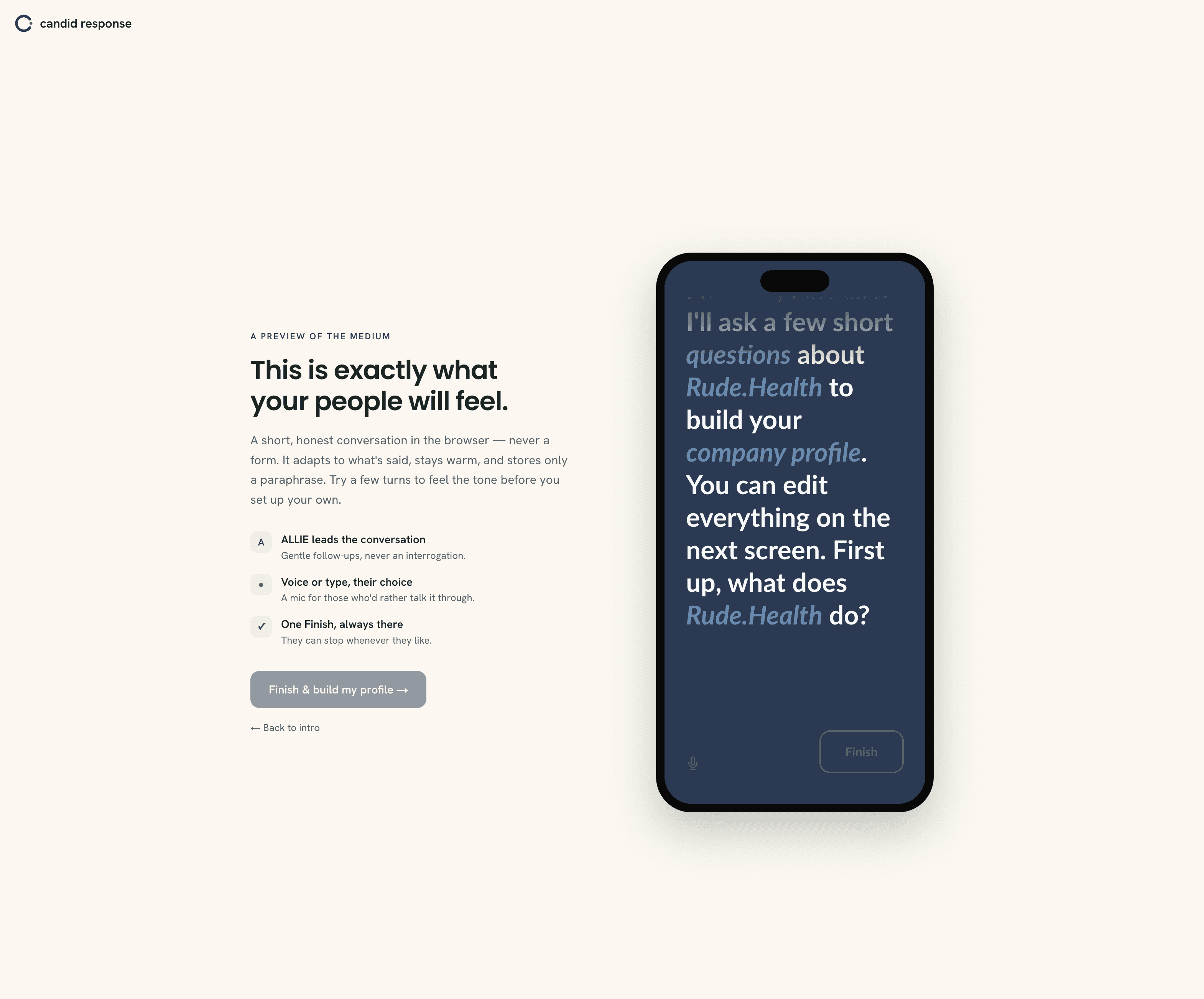
Tell Allie about your company
This is a conversation, not a form. Allie asks a few short questions about your organisation, what you do, how you are set up, what you are trying to learn, and you answer out loud in your own words, just by talking. It is the same kind of spoken conversation your people will have later, so it doubles as a first feel for the medium. You will get the chance to correct anything in writing once Allie has drafted your profile. Talk for as long or as little as you like, then select Finish and build my profile.
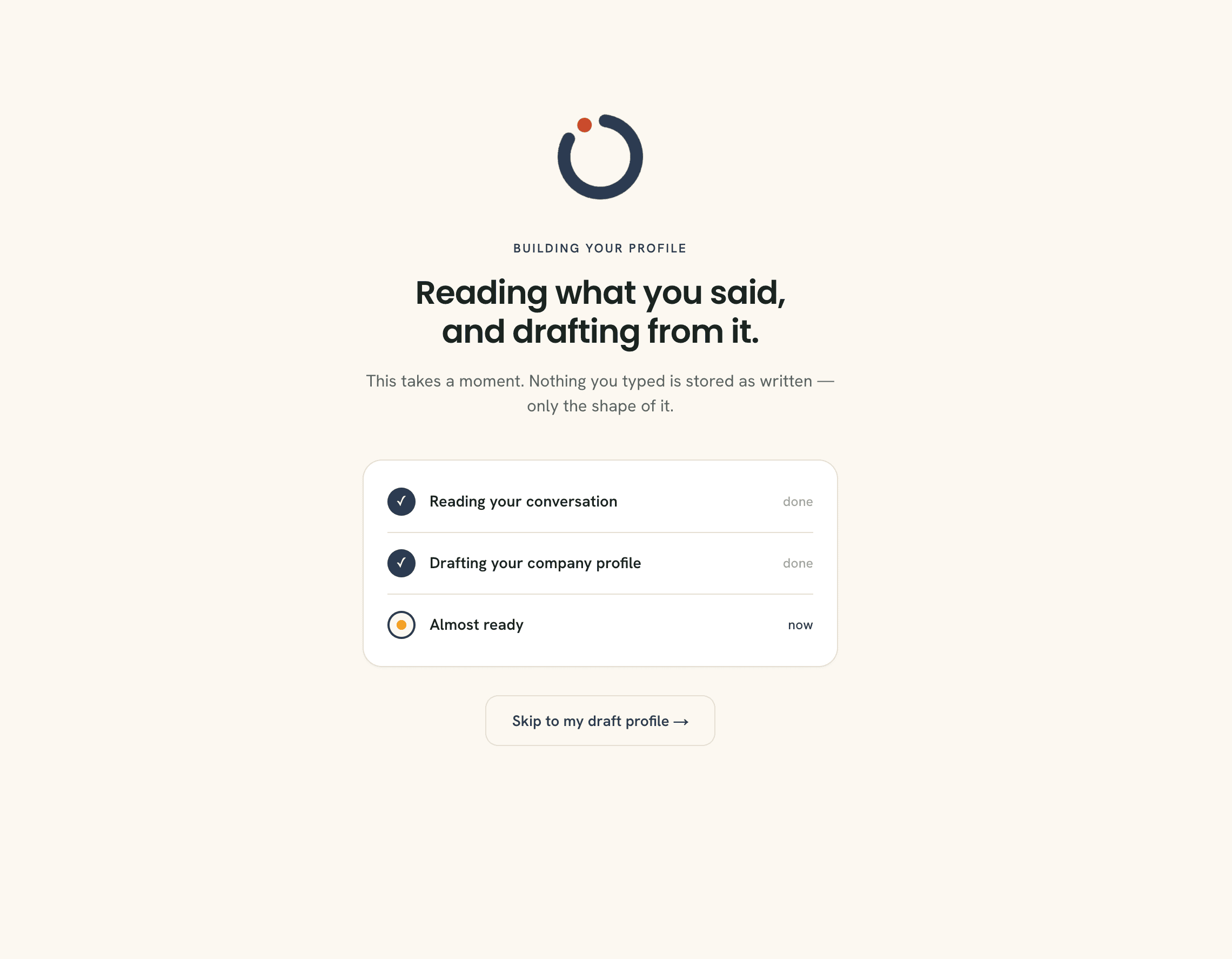
Allie drafts your profile
Candid Response reads your conversation and drafts your company profile from it. Nothing you said is stored word for word, only the sense of it. This takes a moment. You do not need to do anything here.
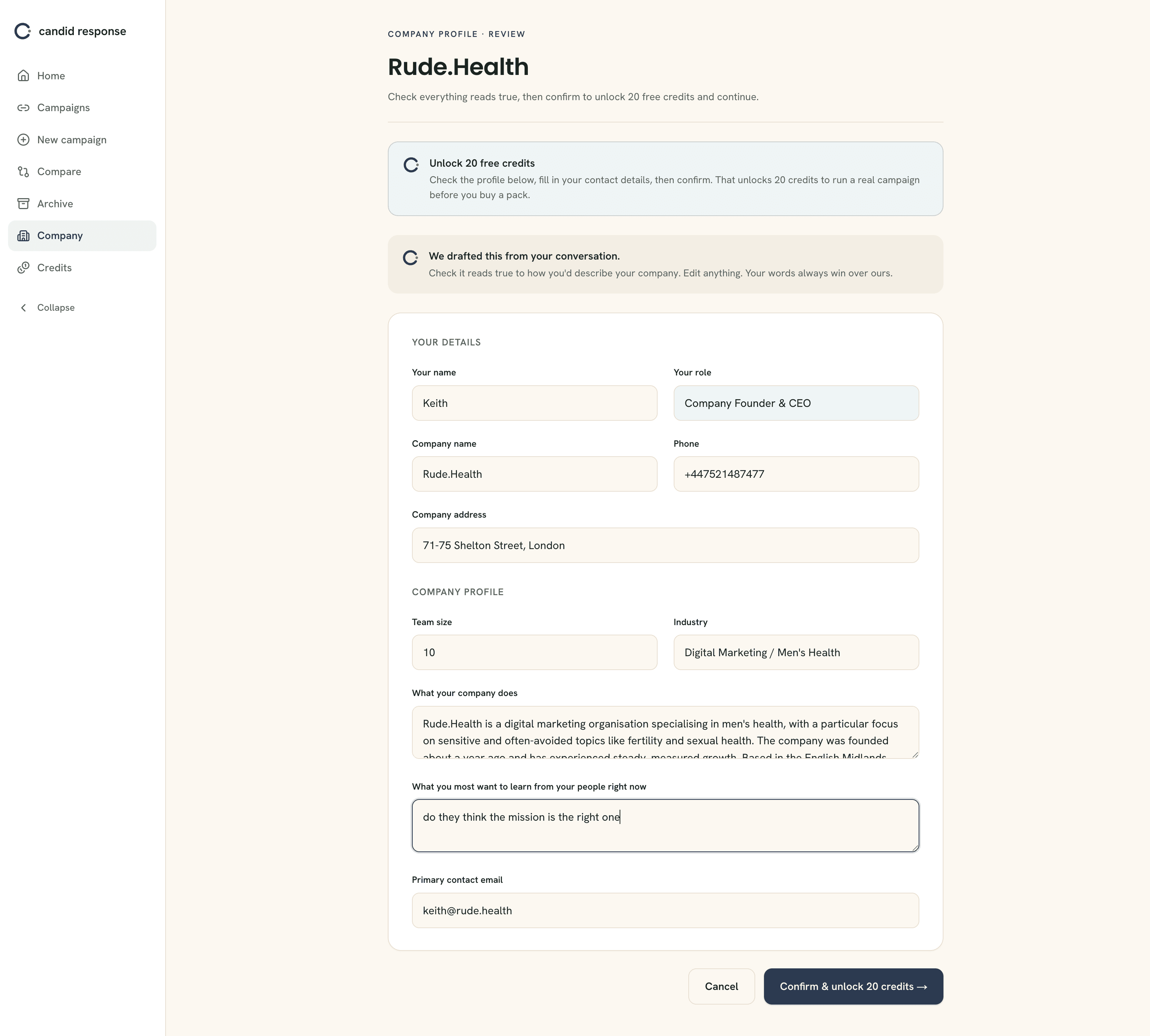
Check your profile and unlock your credits
Here is the profile Allie drafted, laid out for you to check. Read it through, correct anything that does not ring true, and add any context the conversation did not surface. Your words always win over the draft. Fill in your contact details, then select Confirm and unlock 20 credits. Those 20 free credits let you run a real campaign before you ever buy a pack.
If you want to go further
Compare cohorts
Sometimes the answer depends on who you ask. Name each group, by office, department or site, and publish once. You get a separate anonymous link for each one, then compare their themes and sentiment side by side in your hub. The minimum group size of five still holds on every arm, so no small group is ever exposed.
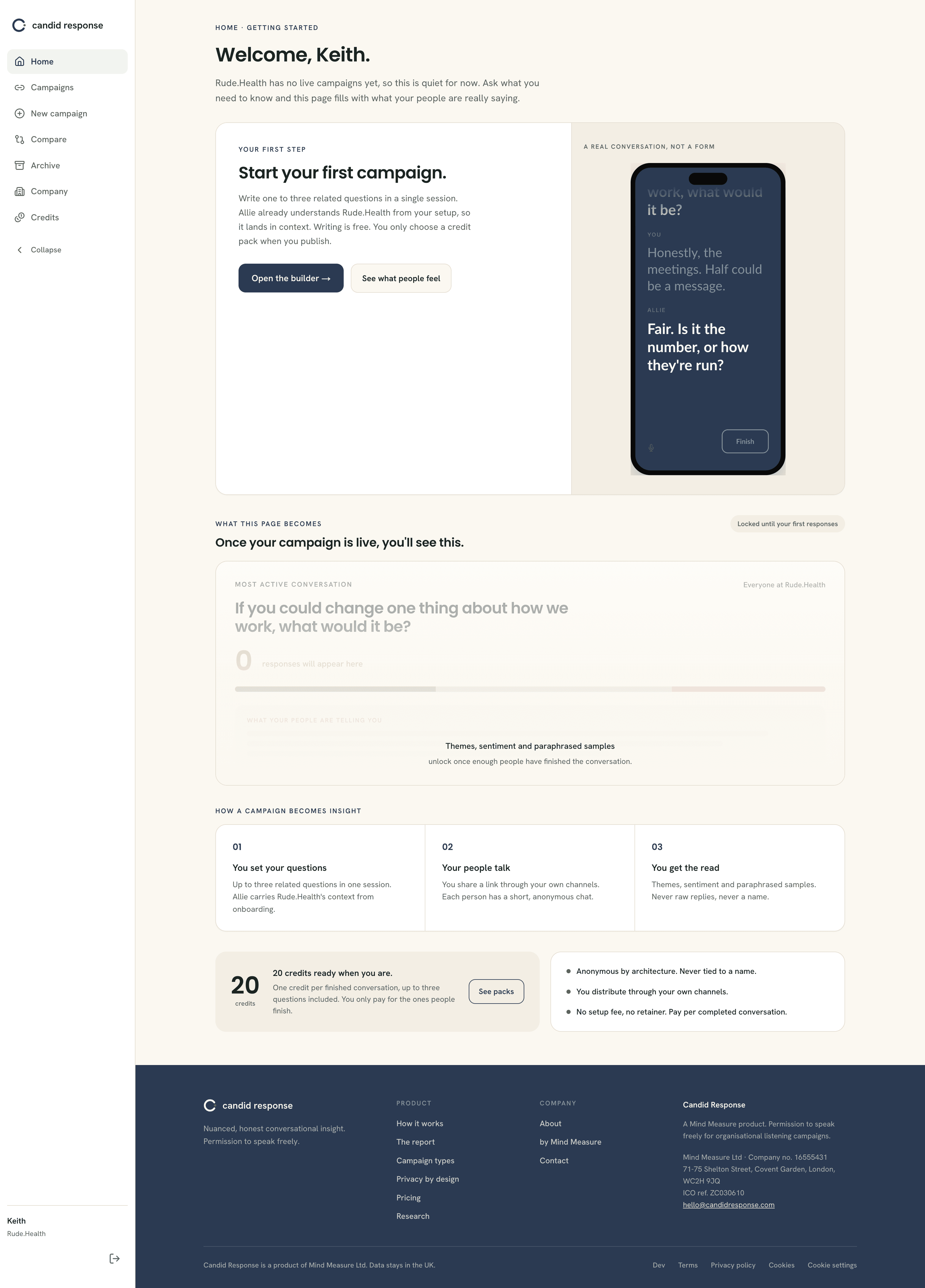
Your dashboard, before your first campaign
This is home. Until a campaign is live it stays quiet, and shows you the one thing worth doing next: starting your first campaign. Everything else on this page, the live conversation, the themes, the paraphrased samples, fills in once your people begin to respond. When you are ready, select Open the builder.
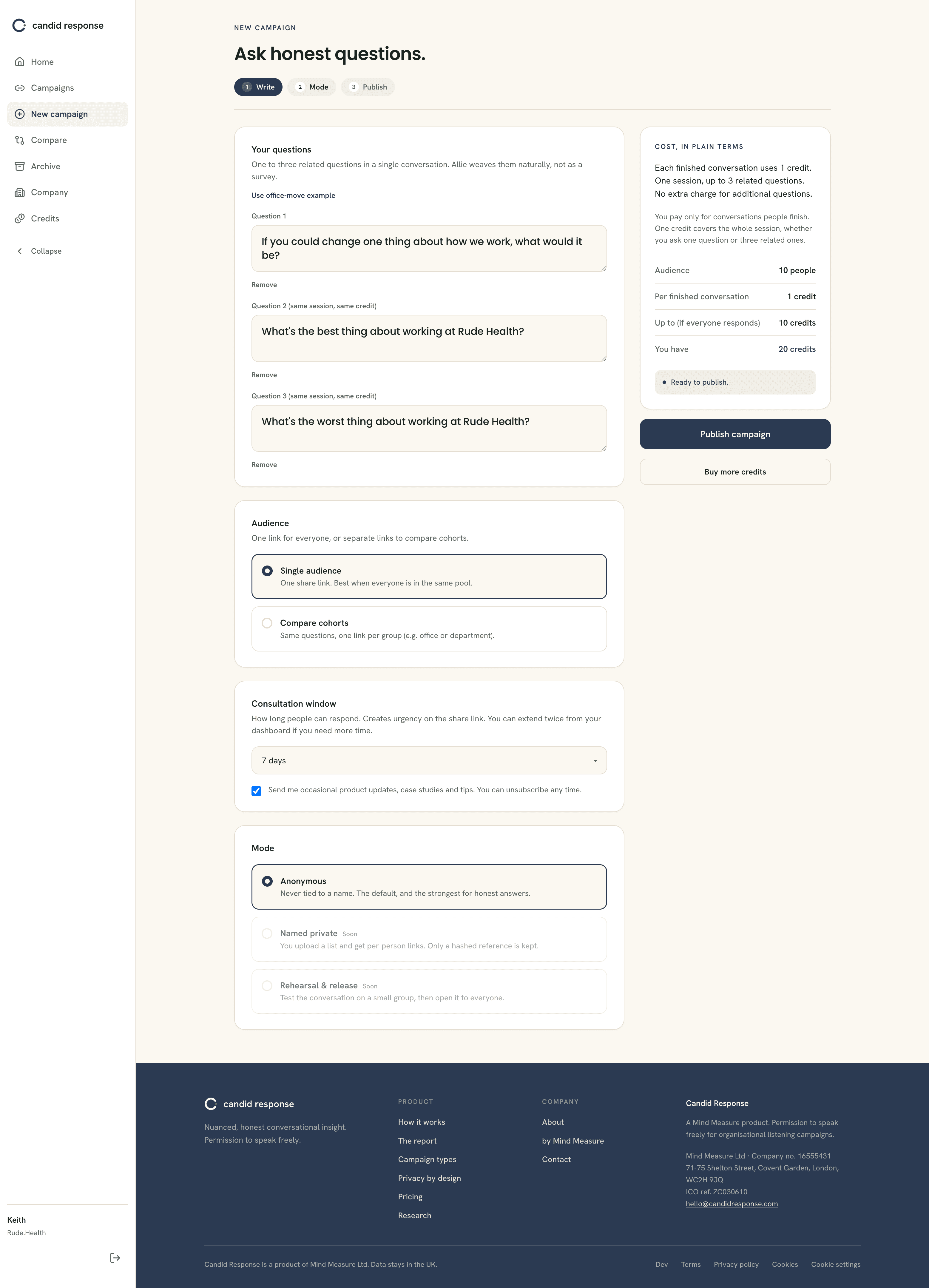
Write your questions
Write one to three related questions for a single conversation. Allie weaves them together naturally rather than reading them out like a survey, and the whole session counts as one credit however many of the three you use. Choose your audience: a single link for everyone, or separate links per group if you want to compare cohorts later. Set how long the conversation stays open, choose Anonymous mode, and the panel on the right shows the cost in plain terms before you commit. When it reads right, select Publish campaign.
Share your link
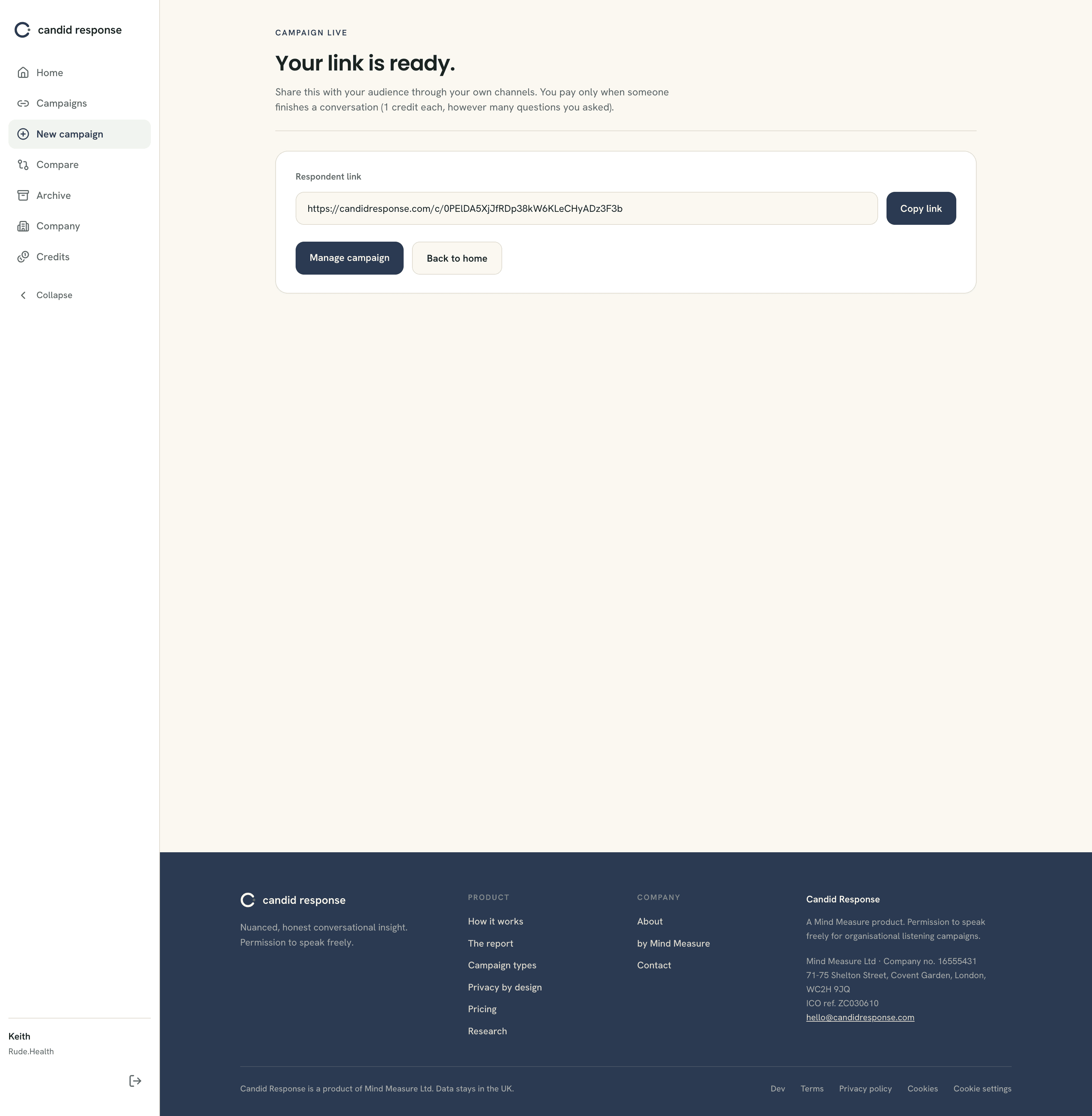
Your campaign is live and your link is ready. Copy it and share it with your people through your own channels, email, chat, intranet, however you reach them. This is the point the privacy promise becomes real: the list of who you send it to never leaves your hands. You pay only when someone finishes a conversation, one credit each, however many questions you asked.
Part two
What your people experience.
Your people never see a manual or an account. They open your link, have a short conversation, and close the tab. These five screens are exactly what they see, shown here so you know what you are asking of them.
Opening the link
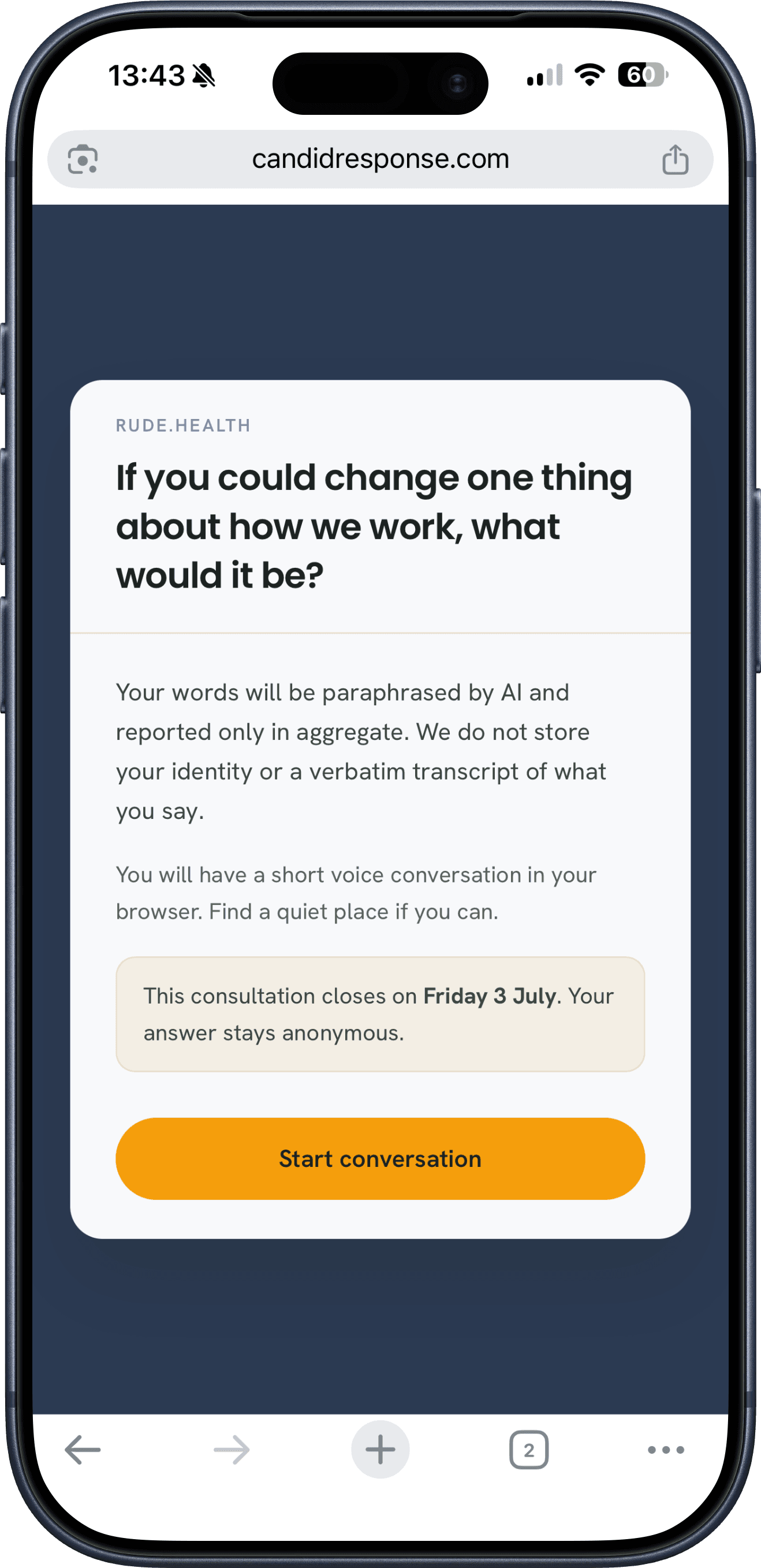
The first thing your person sees is your question and a plain statement of what is about to happen: a short voice conversation in the browser, paraphrased by AI, reported only in aggregate, with no identity or transcript stored. They select Start conversation when they are ready.
Allie sets the tone
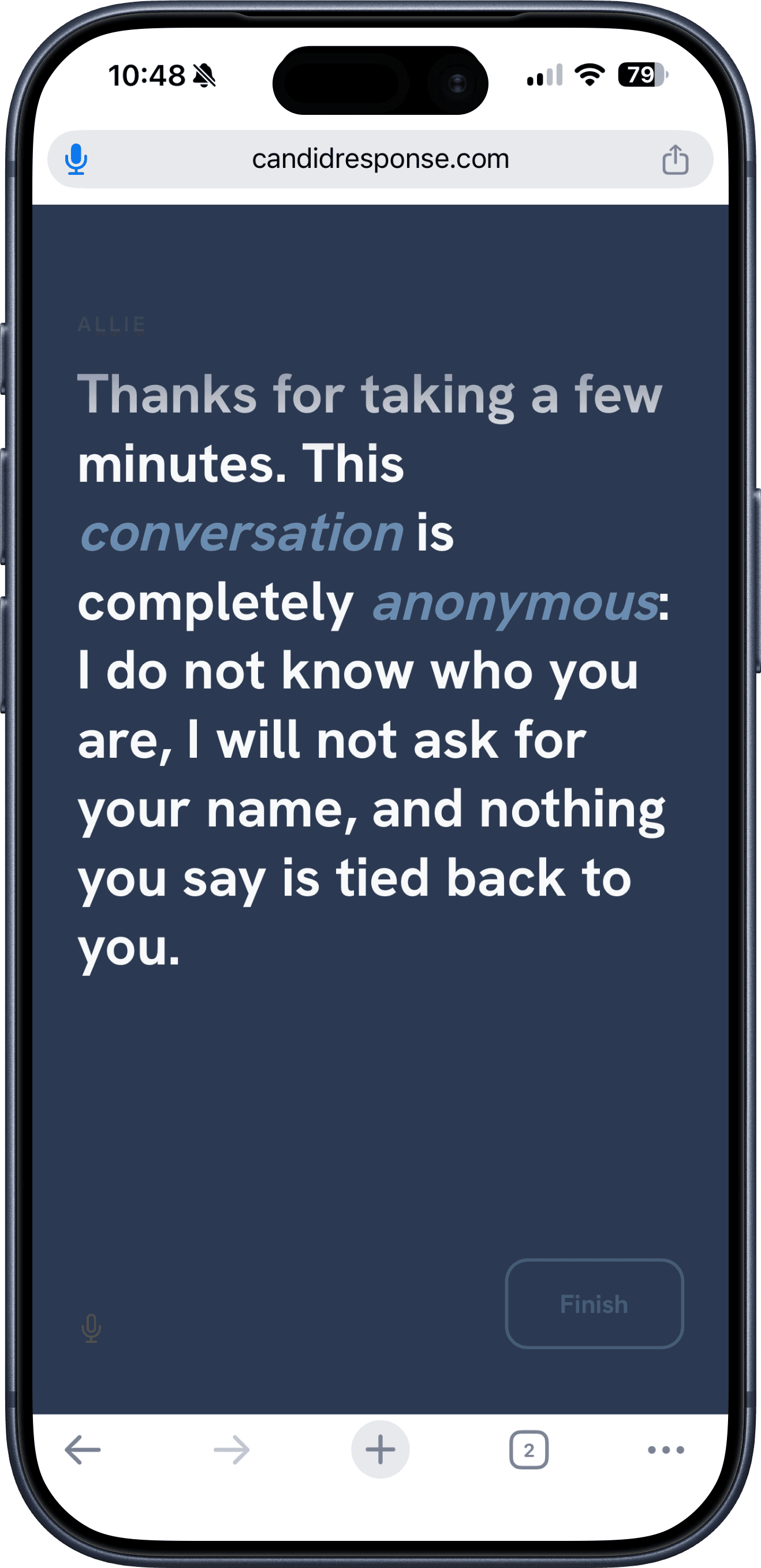
Allie opens by making the anonymity concrete, in her own voice: she does not know who they are, she will not ask for a name, and nothing they say is tied back to them. This is what gives people permission to be honest. Only once they have heard it does the conversation begin.
The conversation
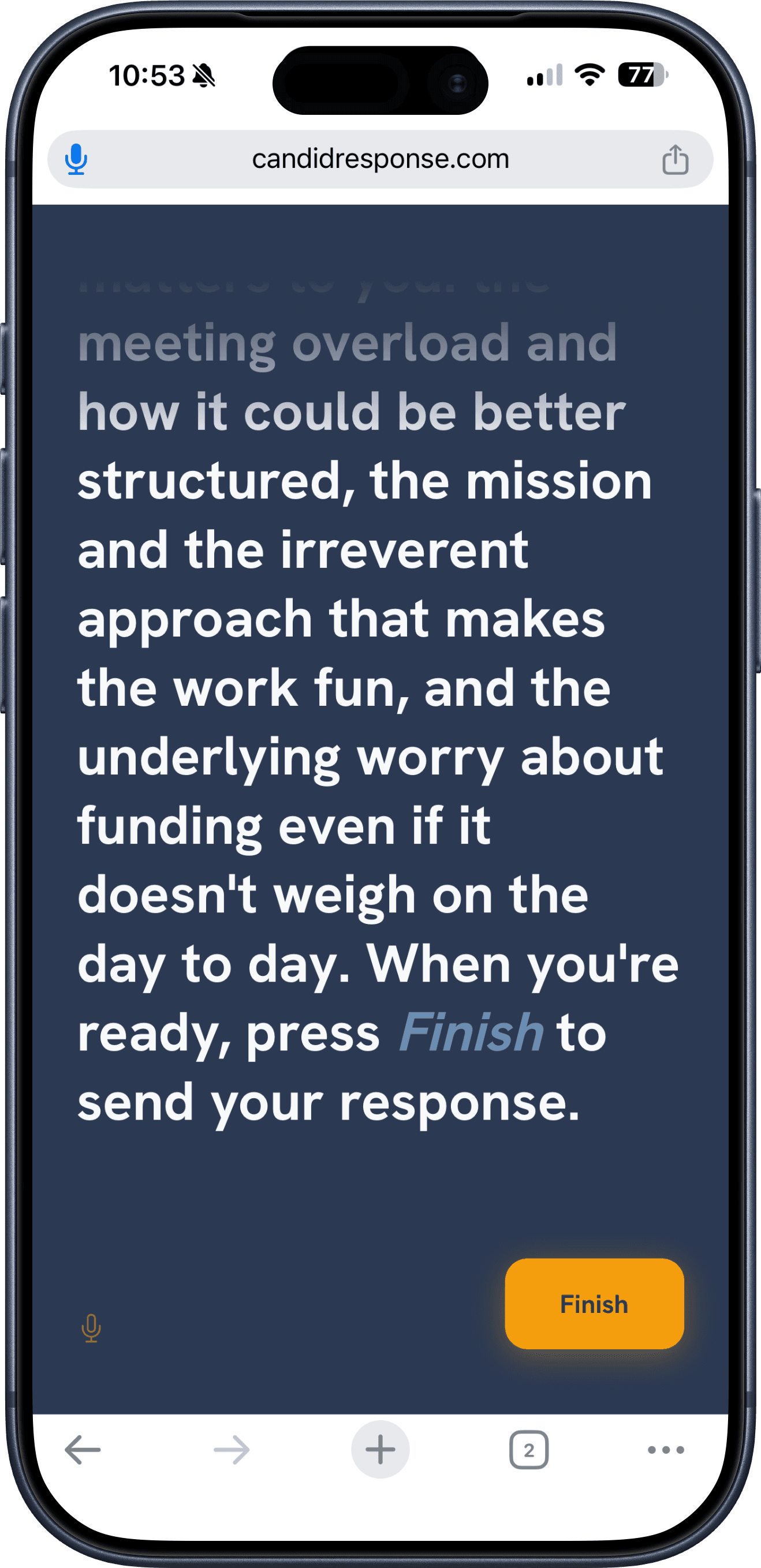
Allie asks your questions and, gently, asks why, drawing out the reason underneath the first answer. Your person speaks their answers out loud, in their own words. Whenever they feel they have said enough, the Finish button is always there, so they are never trapped in the conversation. They stay in control of when it ends.
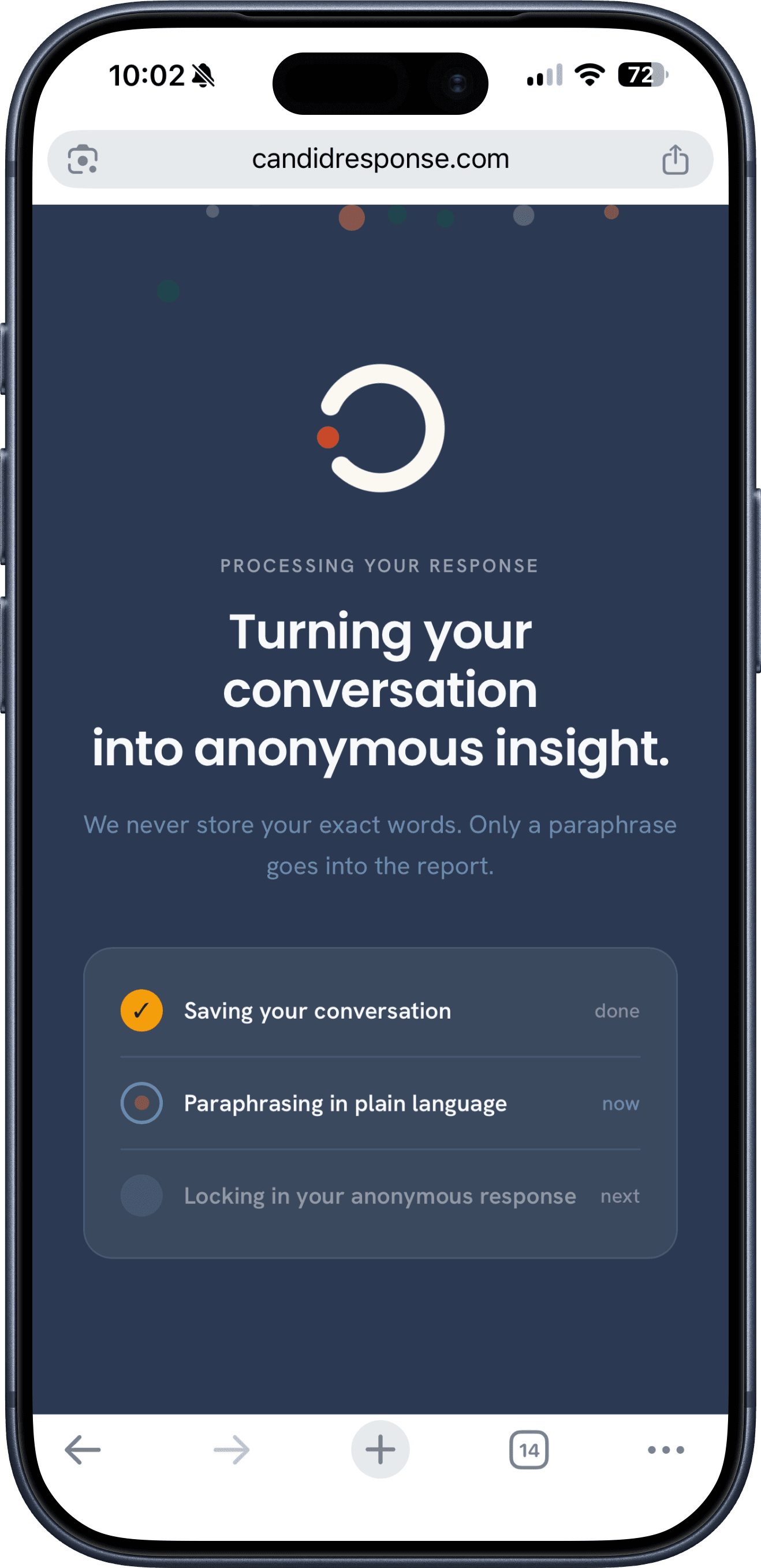
Turning the conversation into insight
When they finish, Candid Response paraphrases what was said and locks in an anonymous version. Their exact words are never stored, only the paraphrase that goes into your report. The screen tells them so, plainly, as it happens.
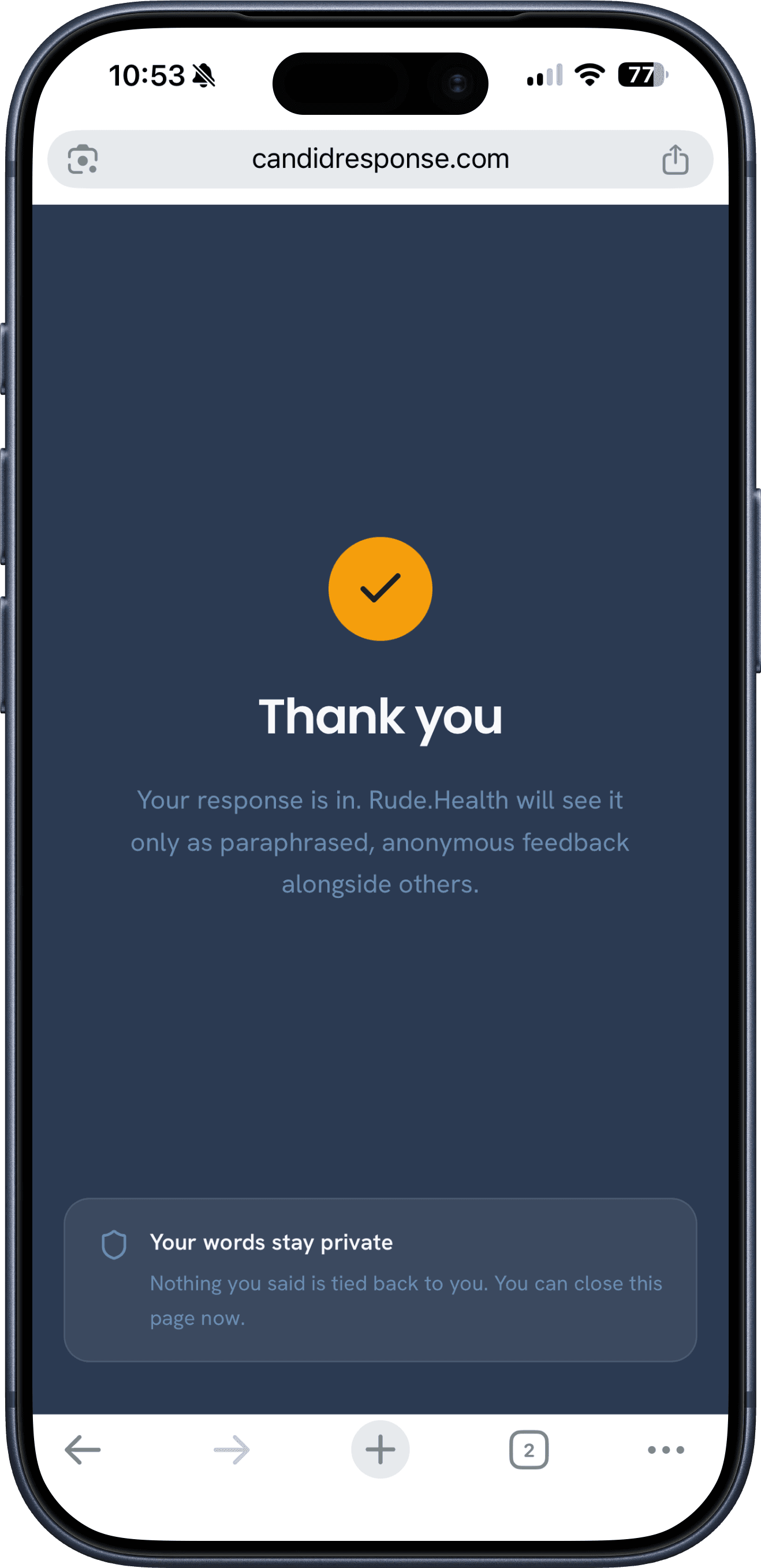
Thank you
A simple close. Their response is in, they are told once more that it reaches you only as paraphrased, anonymous feedback alongside everyone else's, and they can close the page. Nothing they said is tied back to them.
Trust, spelled out before anyone speaks
“What your employer sees”
Before the conversation starts, every respondent can open a plain-language panel that explains exactly what reaches you: a paraphrase and never their words, no audio kept, no name or email collected, and nothing shown until at least five people have answered. People speak more freely when the rules are in front of them, not buried in a policy.
Part three
Reading what comes back.
The story closes back with you, on the dashboard and the report.
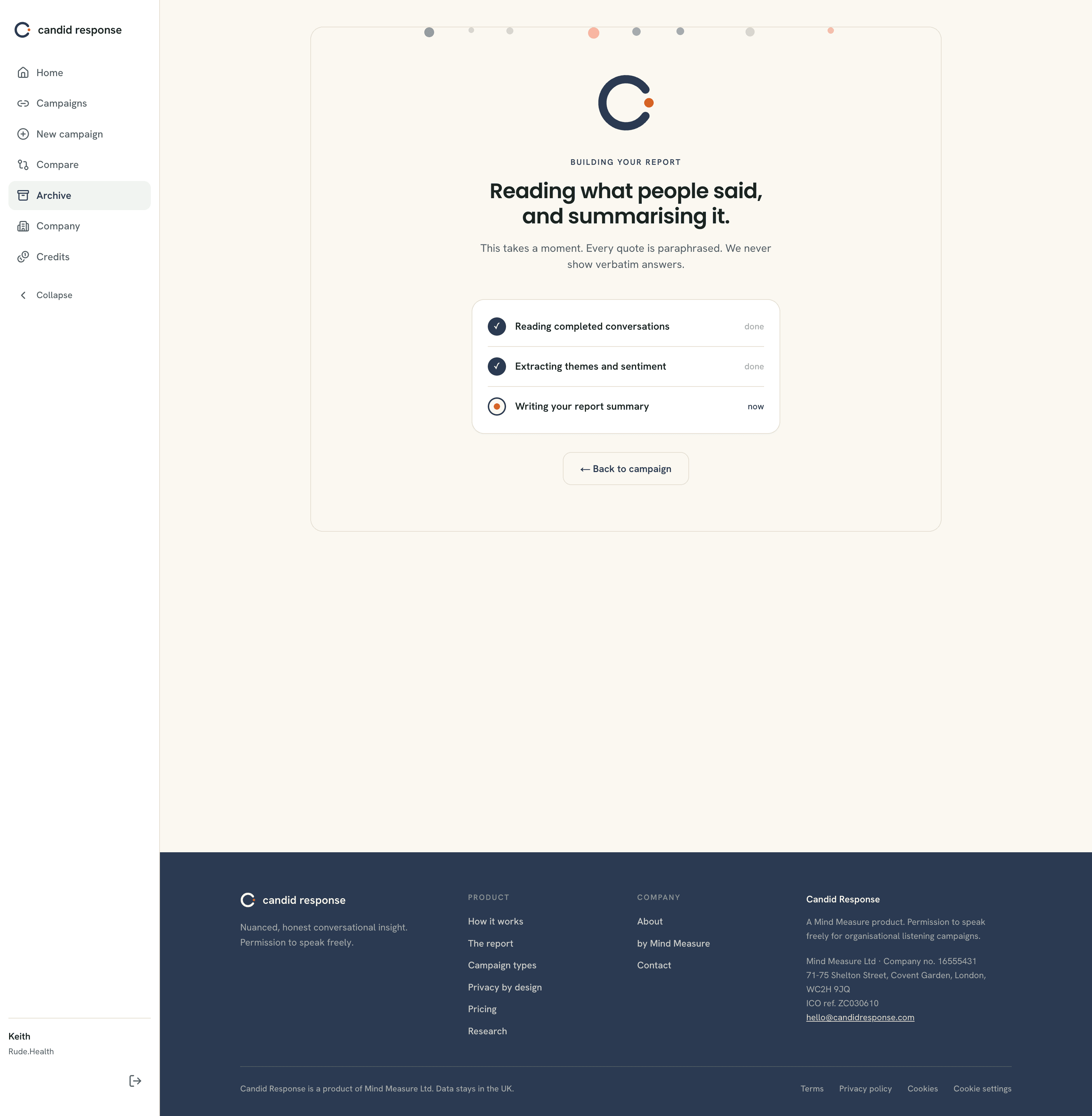
Your dashboard, live
As people finish, your dashboard begins to fill, but the same privacy floor that protects the report protects this page too. From the very first response you can see how many people have taken part and your remaining credit balance. What you cannot see yet is any reading of what was said. Sentiment, the themes that keep surfacing, emerging signals and paraphrased samples all stay locked until at least five people have finished the conversation. Once you cross that fifth response, the page opens up: the most active conversation moves to the top with its sentiment and a plain-language read of what your people are telling you, and the themes and samples fill in below. Nothing here is ever a raw answer, and nothing is tied to a person. It keeps updating as more responses land.
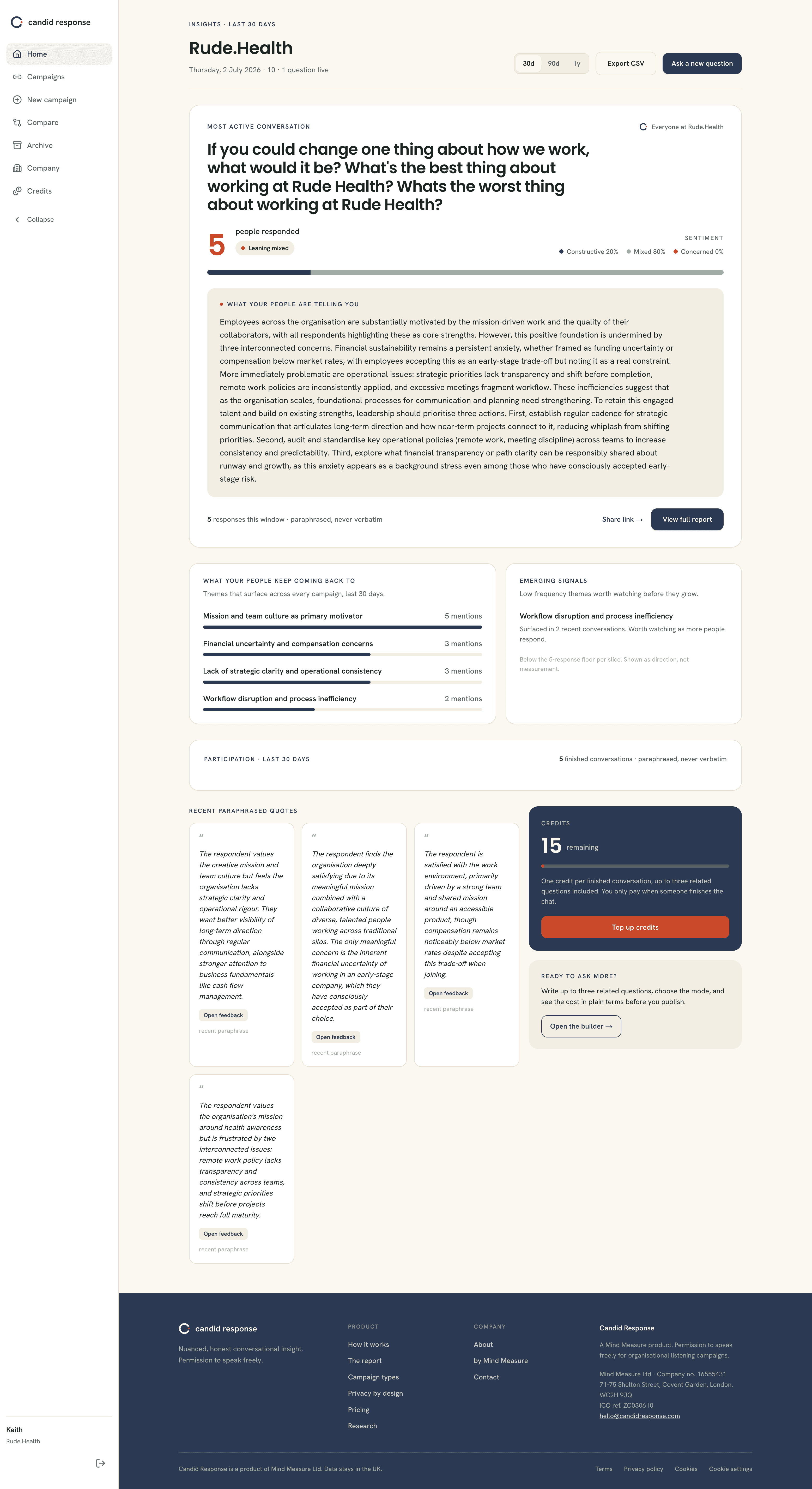
Building your report
When you open a campaign report, Candid Response reads the completed conversations, extracts the themes and sentiment, and writes the summary. Every quote is paraphrased. This takes a moment, and you can leave the page and come back to it.
The report
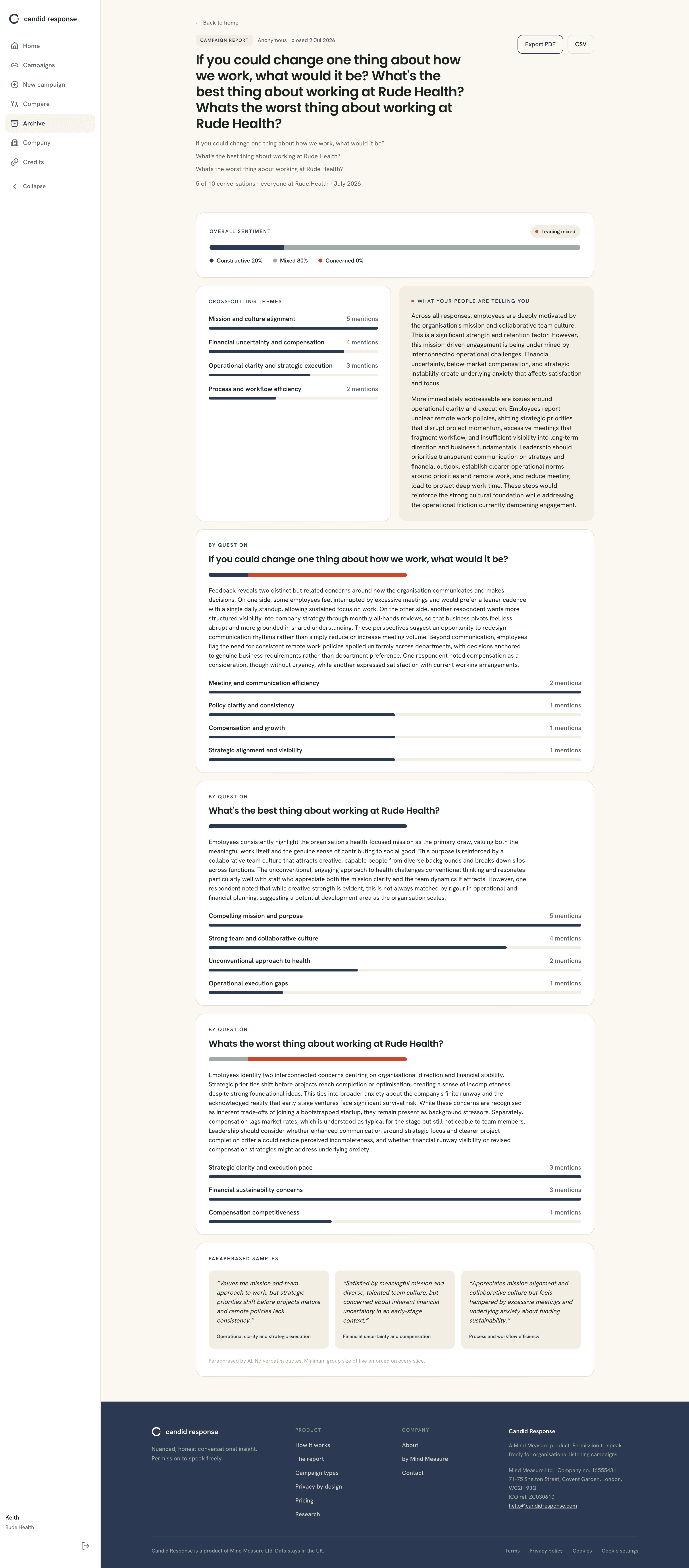
This is what you are buying, and it becomes available once at least five people have finished the conversation. Until then there is nothing to generate, which is the privacy floor doing its job. Once the report is ready you get the question at the top, then overall sentiment, the cross-cutting themes ranked by how often they came up, and a plain-language account of what your people are telling you. Each question is broken out with its own themes, and a set of paraphrased samples gives you the tone without ever showing anyone's exact words. Export it to PDF or CSV to share or keep. No result is shown from fewer than five conversations, on any slice.
Part four
Closing the loop, and asking again.
One question tells you where you stand today. What happens next is what makes people keep answering: you respond to what you heard, you follow up on the themes that matter, and you ask again to see whether things moved.
You said, we did
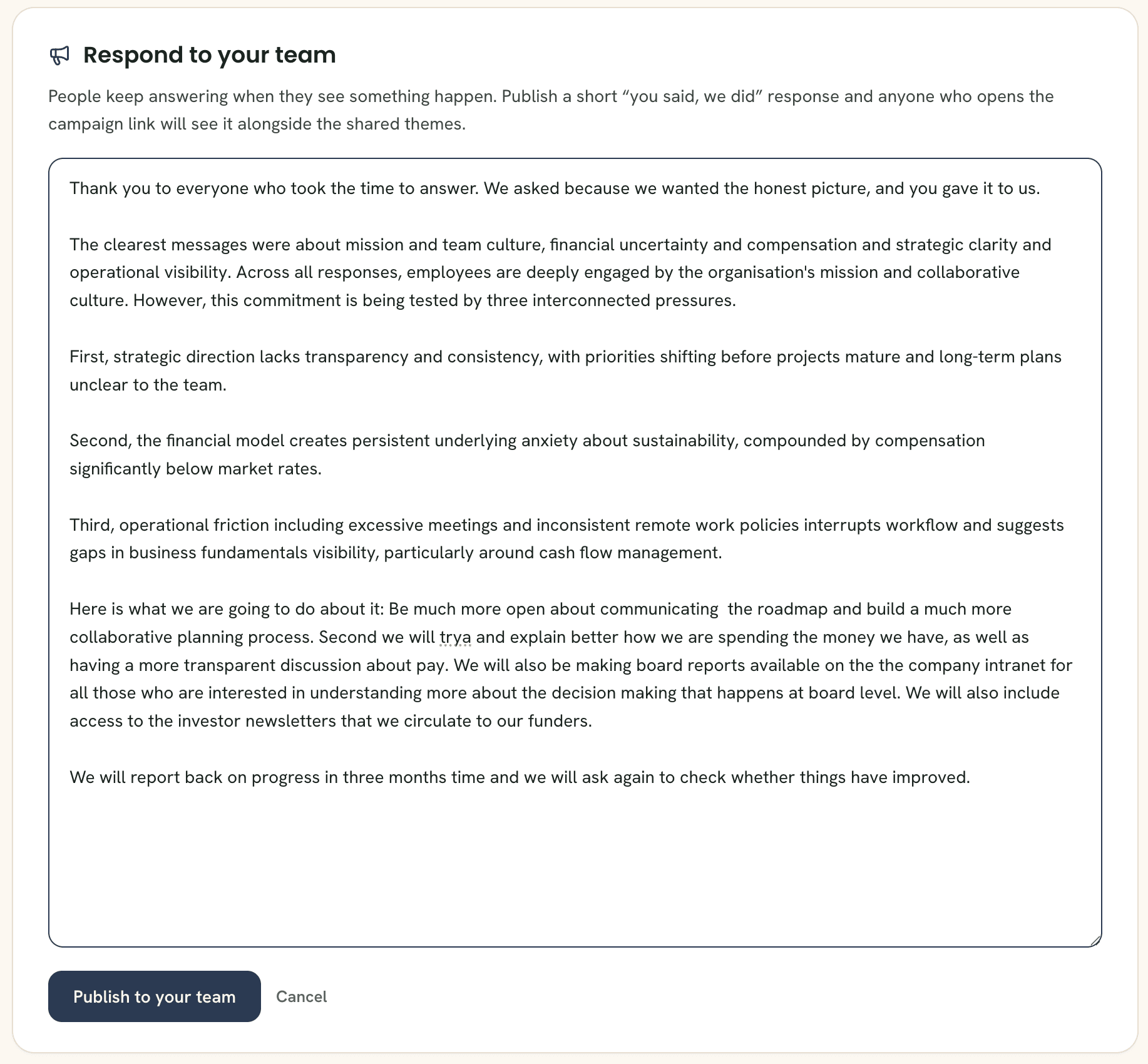
When your campaign closes, the report page invites you to respond to your team. Select Draft with AI and Candid Response writes a first pass from the themes, in plain language. Edit it until it sounds like you, then select Publish to your team. Nothing goes out without your approval.
Keep listening
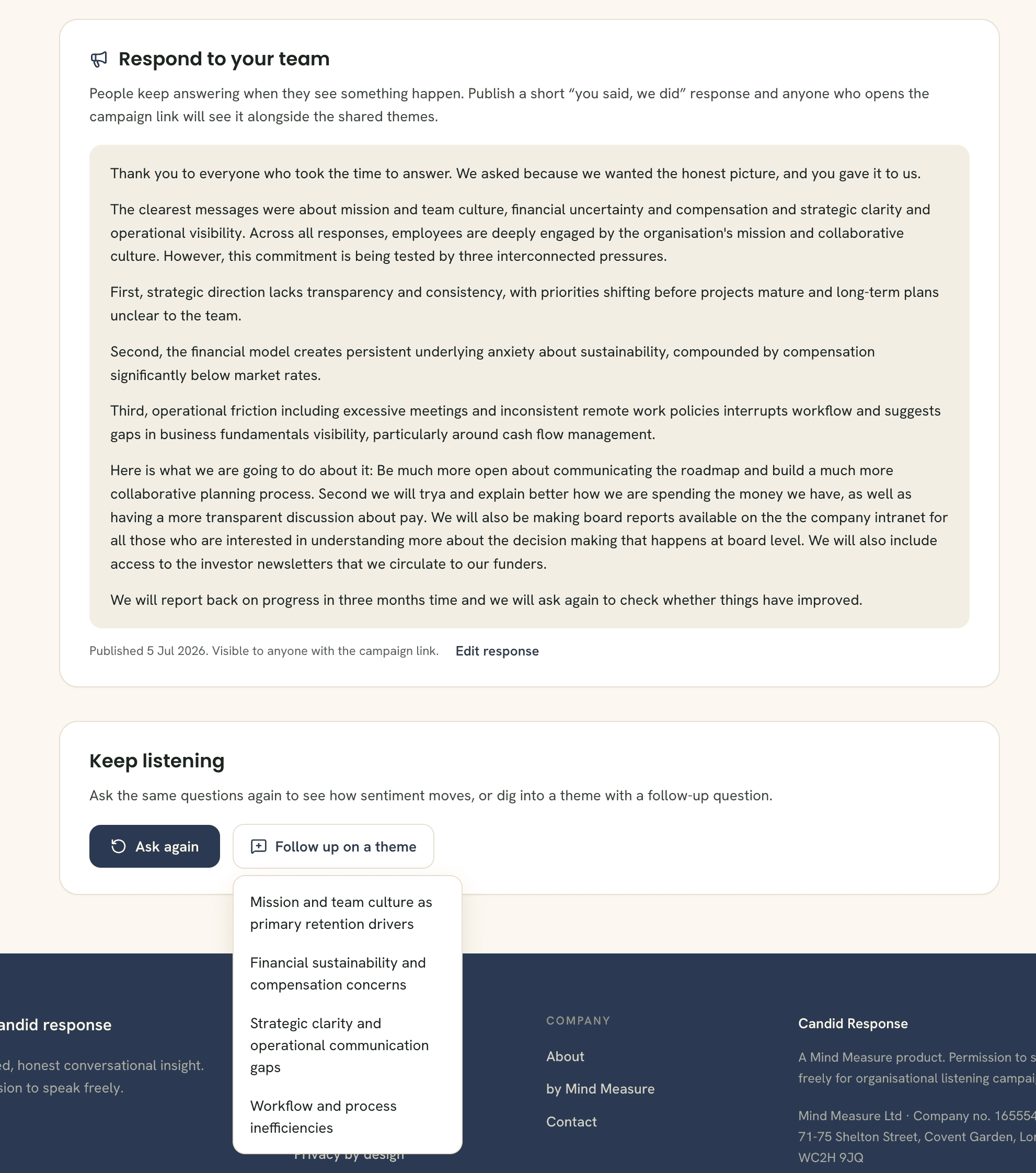
Once published, your response appears on the campaign link itself, so anyone who answered can open the same link and see the shared themes alongside what you plan to do about them. Below it, the report offers your two next moves. Ask again re-runs the same questions and adds a trend line to your report, run by run. Follow up on a theme starts a new campaign seeded by a theme from this one, and Allie carries that context into the next conversation.
Ask again, watch the trend
Re-ask any closed question with one click. Each run joins a series, and your report grows a trend line: sentiment run by run, with a plain-English read on what moved since last time. Quarterly pulses stop being guesswork.
Never face a blank page
A built-in question library covers the moments that make leaders want to listen: a restructure, a new policy, ways of working, new leadership, growing pains. Pick a moment, get ready-made questions, and edit them so they sound like you.
That is the whole loop
Ask what you need to know, and hear the truth.
Set up once, ask in minutes, share a link, and read back the themes and the feeling underneath them, all without ever holding a name or a raw answer. Then respond to your team, ask again, and watch the line move.